M-VAVE FM-1 Firmware Upgrade and Rollback Guide
I'd had my FM-1 for a while when I heard its firmware could be updated, so I looked it up on the official site. These are the versions I could find in the official release note and on the download page:
| Version | Date | What changed |
|---|---|---|
| V09 | 2026‑06‑24 | ENV envelope can be switched on and off; RATE can be changed while recording in SEQ; SEQ adds rests (empty steps) and note replacement |
| V13 | 2026‑07‑03 | BPM sync for ARP and SEQ; the OP screen remembers the selected page and operator for the current tone; SEQ can transpose; volume levels made more even across some factory tones; velocity setting 1–127 in GLO; MIDI channel selection (default ALL channels); PC messages (PC 0–127) switch tones; RATE gains two settings, 1/1 and 1/2. The vendor notes this version is installed as a full update using software downloaded from "major update" |
| V14 | 2026‑07‑06 | Not in the release note; on the download page it only comes built into the old updater FM1.dmg (see the download table below) |
| V15 | 2026‑07‑30 | Higher base LED brightness; GLO can reset any of tone groups A–D to the last imported tones; new Glide (GLO page 2, 0–1 s, only when the current tone is mono); SEQ can record long notes without overwriting earlier ones, bind a tone to each pattern (the preset knob stops working inside SEQ), pick the number of steps, and play 1–16 patterns back to back starting from the current one; EDIT adds a tone template (turn K1 to set all parameters to basic values), tone renaming, copying another tone over the current one, and long-pressing OPx to mute that operator (the mute is cleared when you switch tones); FX and ENV parameters go from 0–10 to a finer 0–100; a MIDI note on with velocity 0 is treated as a note off, and CC control of effect parameters now follows the FX parameter scale (see the vendor's CC response table) |
The release note only has entries for V09, V13 and V15; the skipped version numbers (including V14) aren't mentioned.
When I connected mine to the computer, the official tool said it was on V14. This post covers updating to V15 with the official tool, and which file you need if you want to go back to V14.
Pulling the cable or losing power mid-flash can brick the unit, and I couldn't find any recovery method on the official site, so before flashing I also downloaded the V14 updater as a way back.
Setup
- MacBook Air (Mac16,12), macOS 27.0.1
- FM-1 firmware before the update: V14
- FM-1 plugged straight into the Mac with a USB-C cable, no hub or adapter
- Browser: Brave
1. Download
The FM-1 section of the M-VAVE Download Center has several files. These are the three you need:
| File | What it is | Size |
|---|---|---|
M-UPGRADE.dmg | Generic updater that lets you pick a firmware file | 58.5 MB |
FM-1.fwsc | V15 firmware, under "PC Firmware", dated 2026_07_30 | 700 KB |
FM1.dmg | Dedicated updater with V14 (2026_07_06) built in, for rolling back | 59.8 MB |
FM1.dmg is labelled "Firmware for the PC/Mac software" and looks like the thing to update with. It isn't: it can only flash its built-in V14, has no way to pick a file, and updating with it leaves you on V14. It is hosted on the M-VAVE community site rather than the official CDN, and the 59.8 MB download took over 5 minutes.
I put the V15 firmware in ~/Downloads/FM-1-V15/ and FM1.dmg in ~/Downloads/FM-1-V14-backup/, which makes picking the file and finding the backup easier later.
2. Check the files
Neither updater has an Apple Developer ID signature (more on that in the next step), so at the very least make sure you have the official files. I compared the SHA-256 of the M-UPGRADE.dmg Brave downloaded with a second copy fetched straight from the official CDN; they matched.
shasum -a 256 ~/Downloads/M-UPGRADE.dmg ~/Downloads/FM-1-V15/FM-1.fwsc ~/Downloads/FM-1-V14-backup/FM1.dmg
| File | SHA-256 (downloaded 2026-10-18) |
|---|---|
M-UPGRADE.dmg | 57a61a8aac12e004bc4cd0b0aa63342d2046f21b50a4e3fe80ea460cfc401081 |
FM-1.fwsc | db1642b2b6fa5c2cccb11ffd13878068bb28601678d3644049f99dc40e7edb8a |
FM1.dmg | 02005c80404b5f9fb55e9138f11cfdecd821e8014577e546a91d85b270f242d9 |
If M-VAVE replaces the files later these values will change; then compare against a fresh copy from the official site instead.
3. Install M-UPGRADE
Open the DMG and drag M-UPGRADE.app into Applications. The app only has an ad-hoc signature, with no developer identity and no Apple notarization, so Gatekeeper's verdict is rejected and it is blocked the first time you open it. (The packaging is a bit sloppy too: the AppConfig.ini inside the app still has a WeChat temp folder path from the vendor engineer's own computer.)
It gets blocked because the browser tags the download with the quarantine flag com.apple.quarantine. This is the only official update channel, so I chose to trust it and removed the flag from this one app in Terminal:
xattr -dr com.apple.quarantine /Applications/M-UPGRADE.app
If you'd rather not use the command line, open the app once so it gets blocked, then go to System Settings → Privacy & Security and click "Open Anyway". Same result, and either way it only affects this app.
4. Update to V15
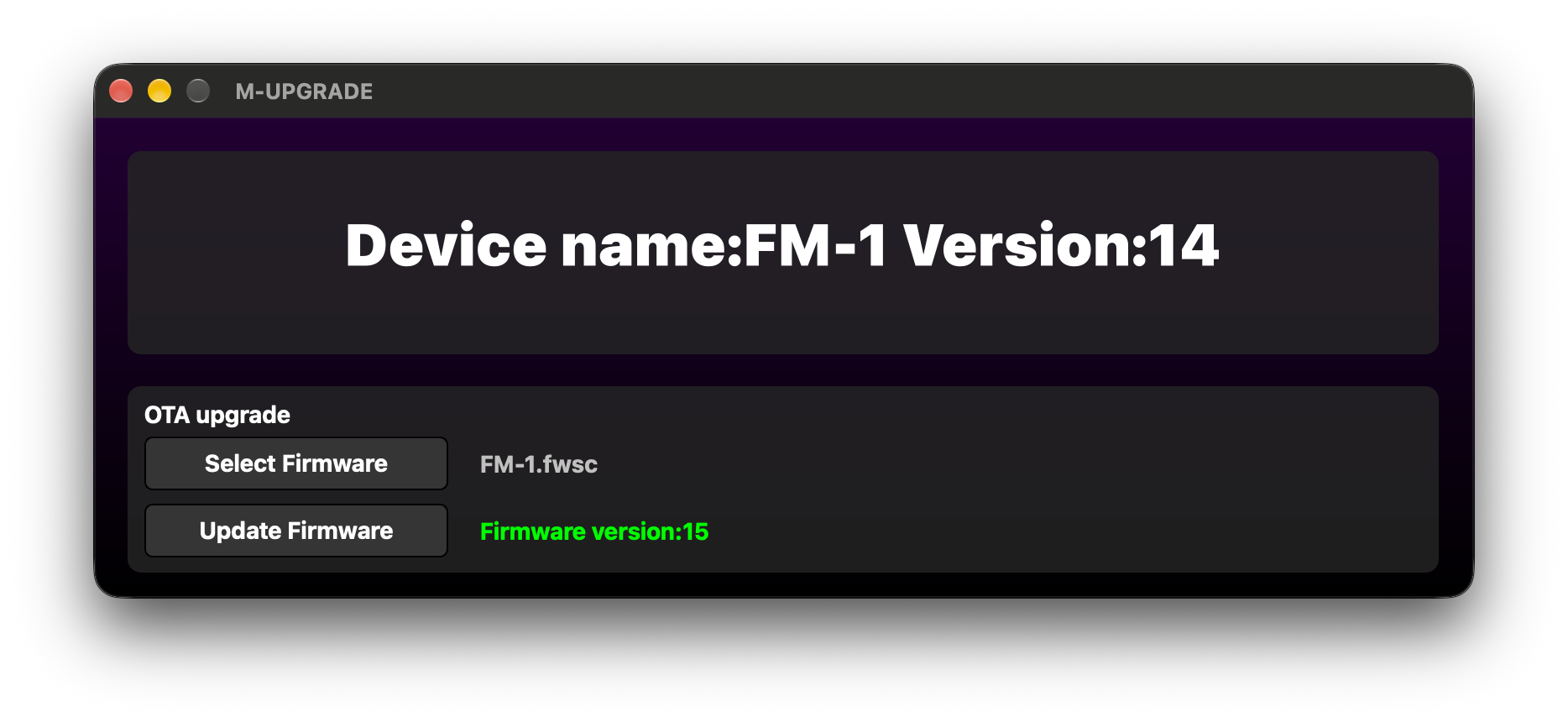
Before flashing, quit anything else that uses MIDI (including browser tabs that have used Web MIDI) and plug the Mac into power. Turn the FM-1 on, connect it, and open M-UPGRADE; the top shows Device name:FM-1 Version:14. Click Select Firmware and choose FM-1.fwsc; a green Firmware version:15 appears on the right, which tells you it's the right file.
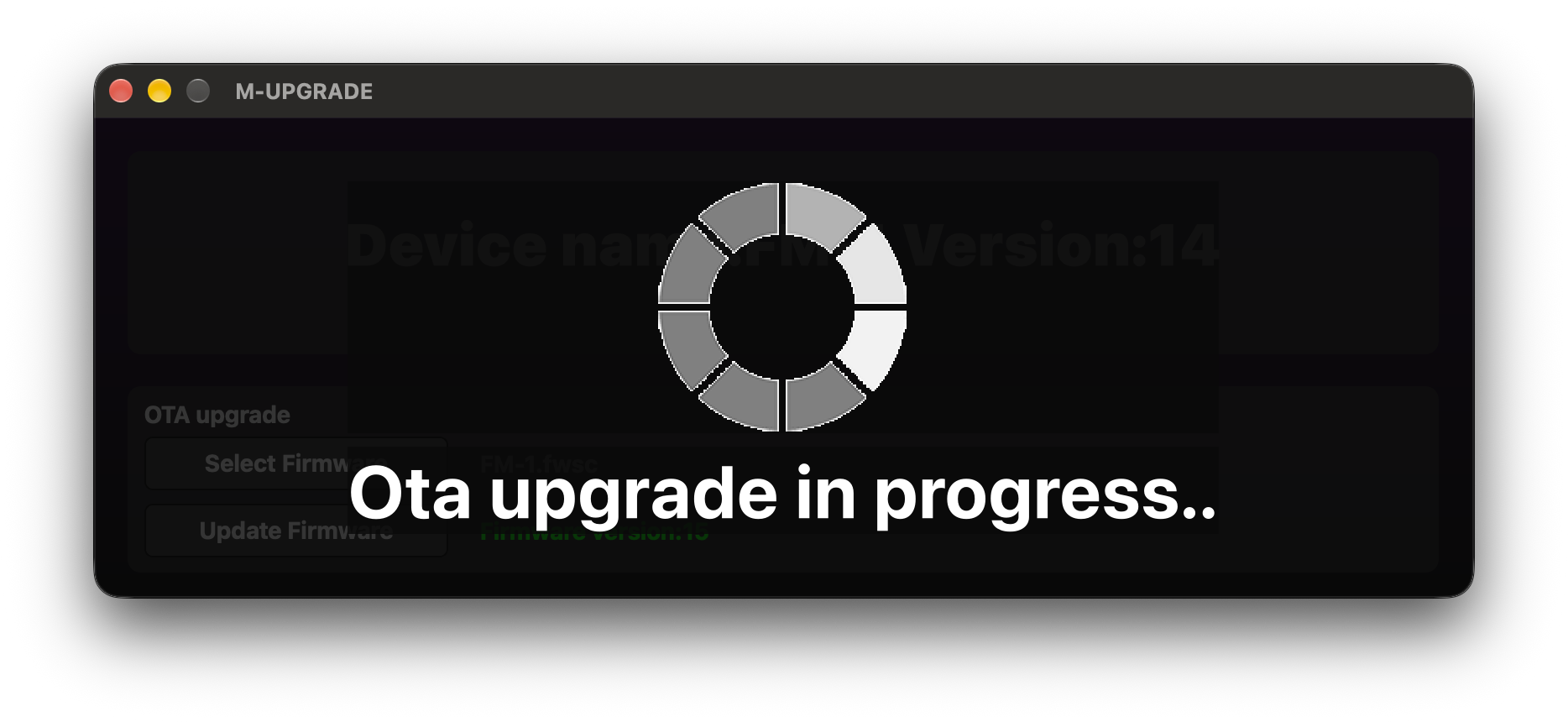
Then click Update Firmware and leave the cable, the FM-1 and the Mac alone. The window dims and shows a spinner with Ota upgrade in progress...
If you get "Failed to enter upgrade mode!" when you click it, the official advice is to keep M-UPGRADE open, unplug the USB cable and plug it back in, then try again. That only applies before the transfer has started.
I flashed V15 twice (rolling back to V14 once in between to get more screenshots). From the FM-1 entering update mode until it was back up after rebooting, the first run took about 21 seconds and the second about 20, with no errors either time.
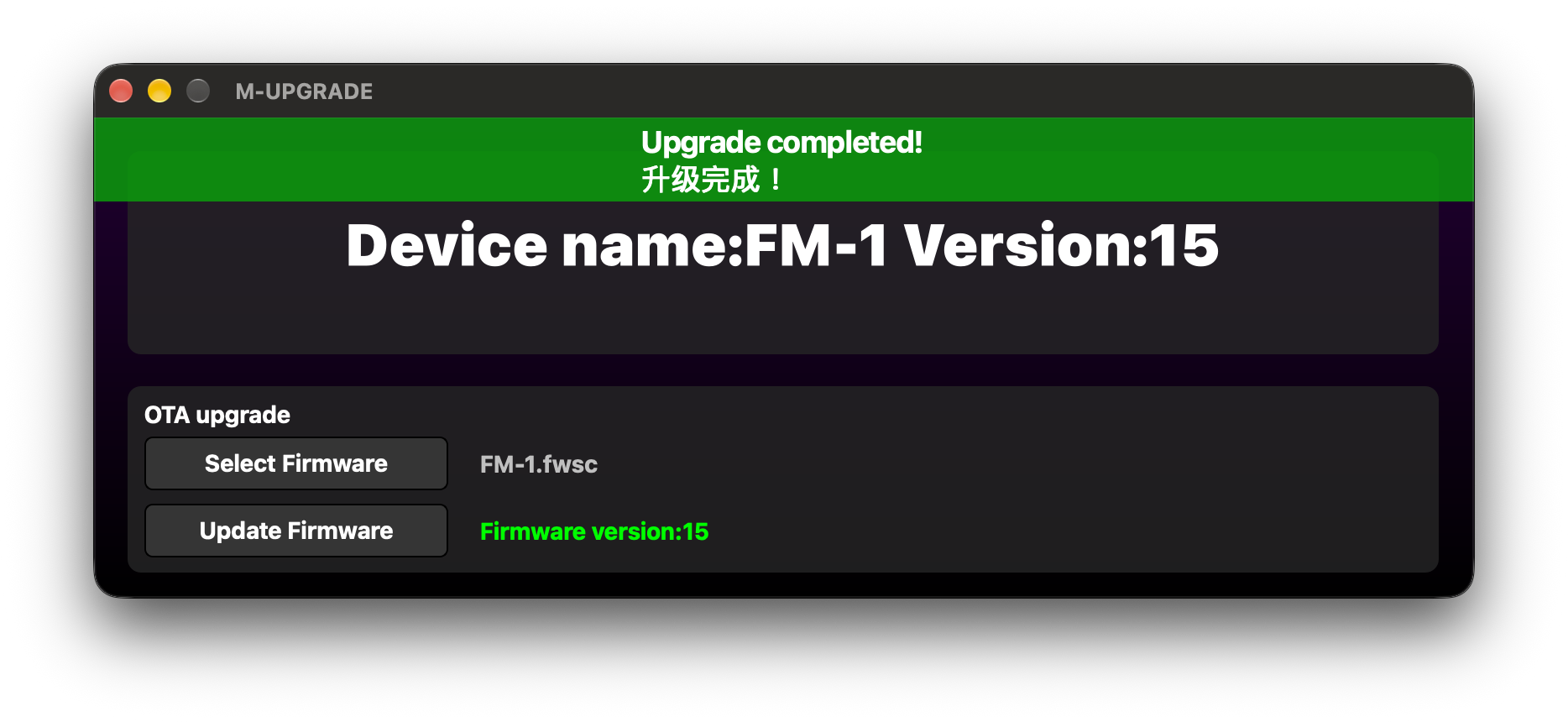
When it's done, a green Upgrade completed! 升级完成! banner appears at the top and the device line changes to Version:15, so you can confirm it without restarting the app.
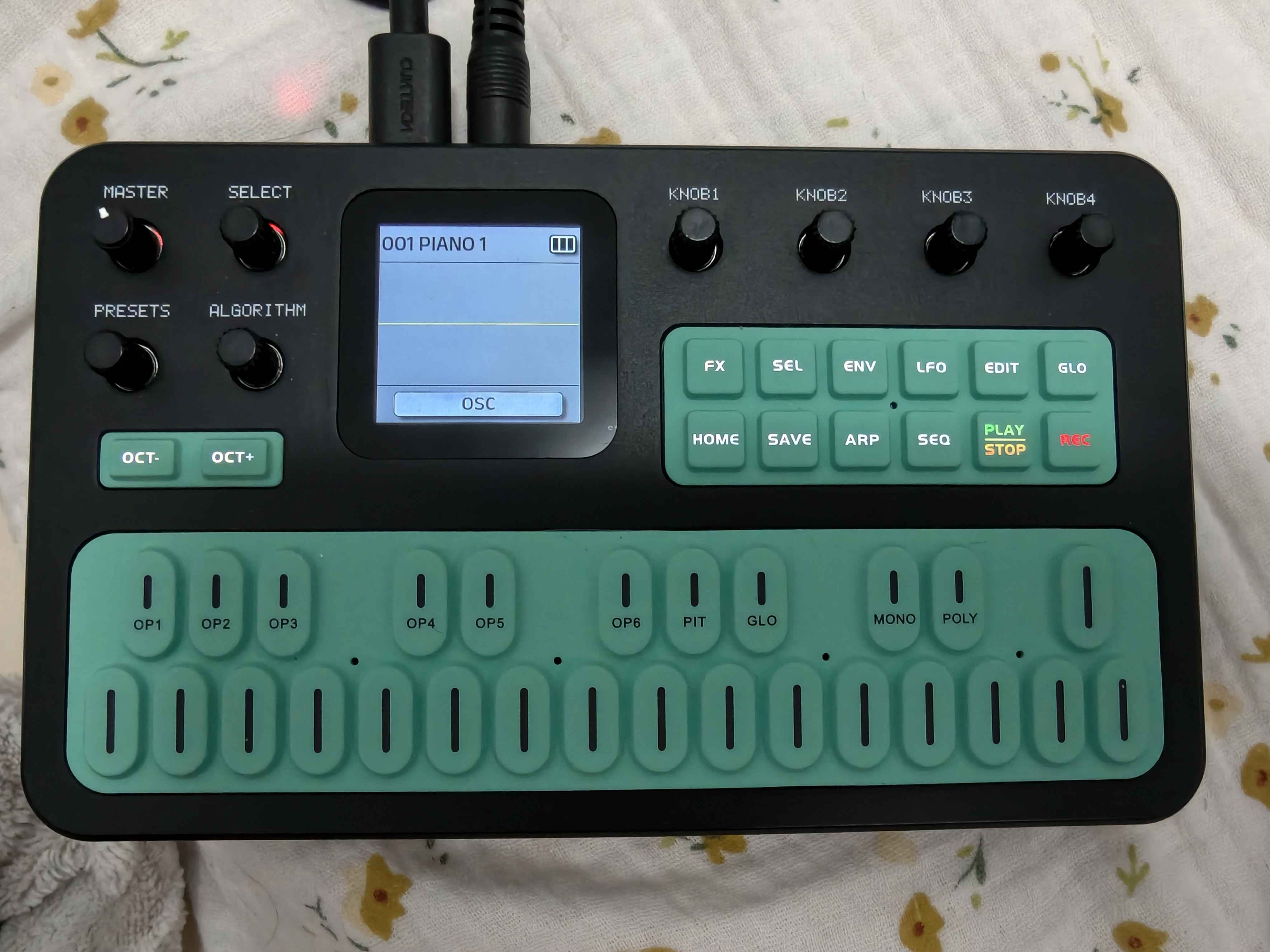
The FM-1 reboots on its own afterwards. The most visible difference on the unit is the key backlight: on V15 all the function keys light up white, PLAY/STOP lights up yellow-green and REC red; on V14 only HOME is lit. The first line of the release note, "LED lights have increased the basic brightness", presumably refers to this. I haven't tried the other new features yet. Also, the FM-1's own screen doesn't show the firmware version; both versions boot to 001 PIANO 1, so you still need M-UPGRADE to check.
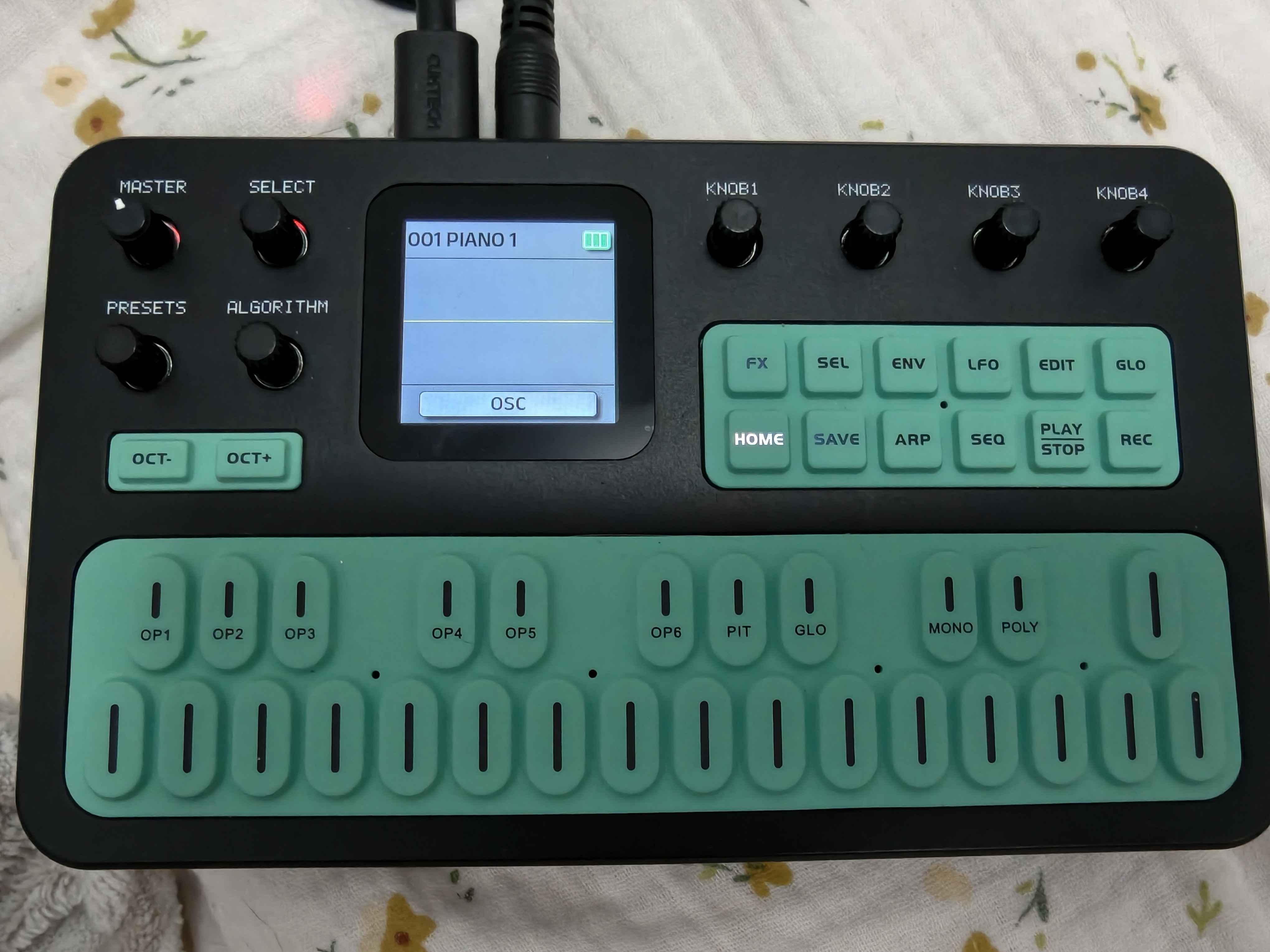
I had never saved any tones of my own, so I can't confirm whether the update wipes custom tones. If you have saved some, write down the important parameters before flashing, to be safe.
5. Roll back to V14
Open FM1.dmg; inside is M-UPGRADE-FM1.app. Like M-UPGRADE it only has an ad-hoc signature, so Gatekeeper blocks it too; let it through the same way as in step 3 (with this app's path). It has V14 built in, so there's no file to pick.
The app opens in Simplified Chinese. The top shows FM-1 已连接 版本:15 ("FM-1 connected, version 15"), and below are just two buttons, Update Firmware and Update Preset, with nowhere to choose a file.
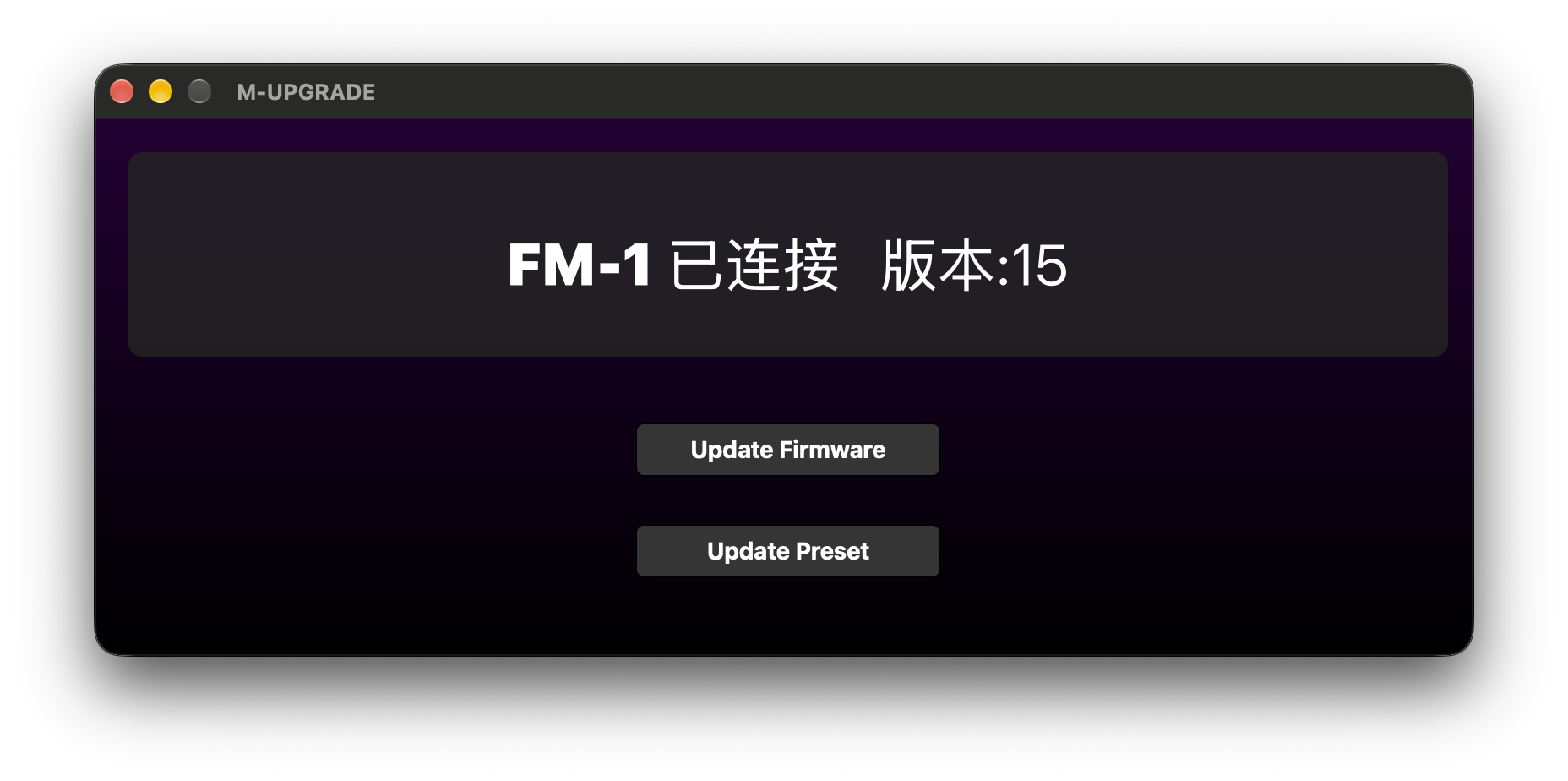
Besides the V14 firmware, the app also contains a FM-1_4bank.bin. From the name it's probably the four factory tone banks A–D, which would go with the Update Preset button. So rolling back with just Update Firmware presumably leaves your tones untouched; don't press Update Preset unless you mean to.
After clicking Update Firmware, the window dims and shows a spinner with Ota upgrade in progress...
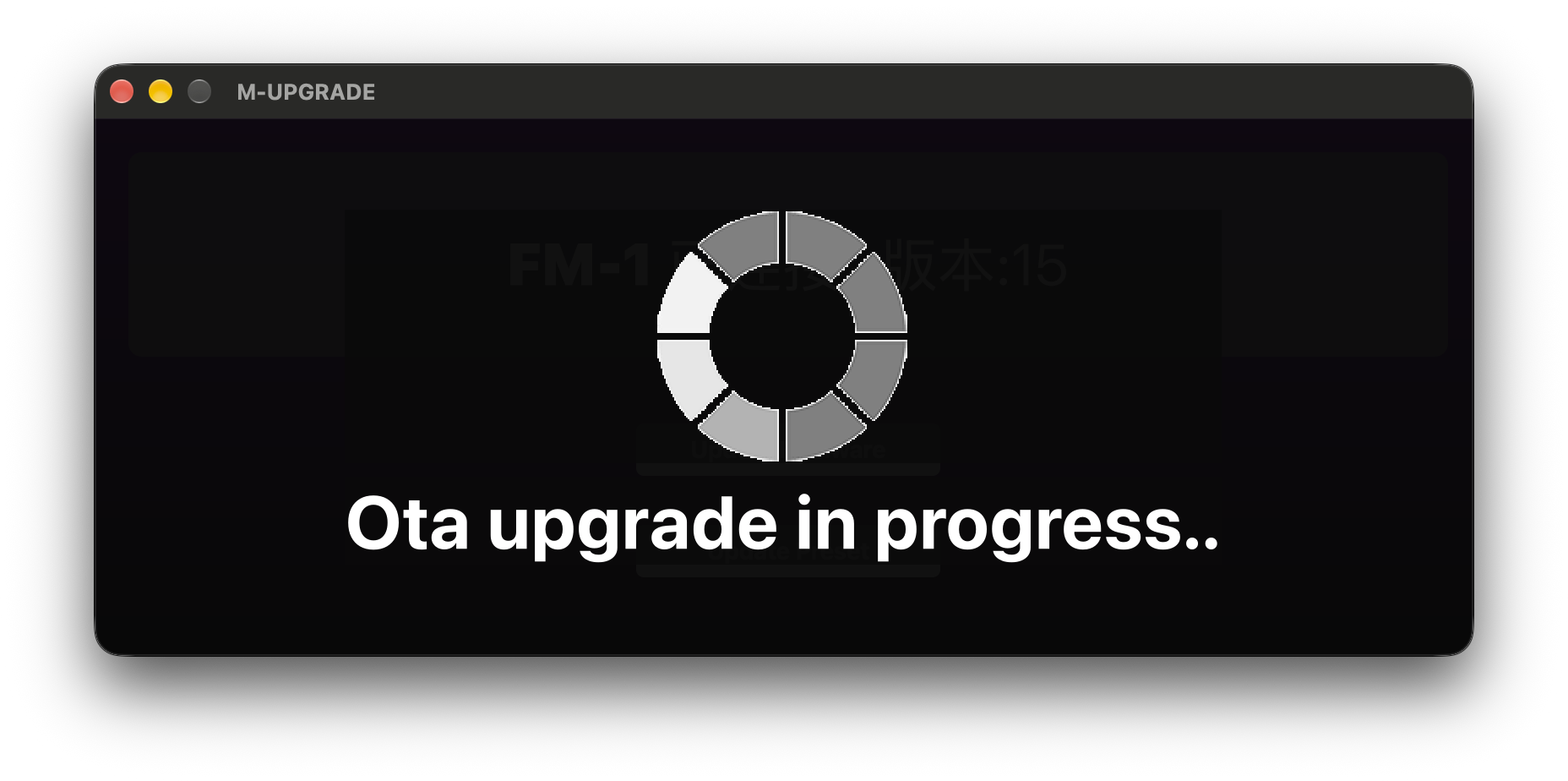
I rolled back twice. Measured from entering update mode until the FM-1 was back up after rebooting, the first rollback took about 18 seconds and the second about 19, a little faster than the roughly 20 seconds for the upgrade.
At the end the same green Upgrade completed! 升级完成! appears, but the device line first turns into red 请连接 FM-1 / Please connect FM-1 and both buttons grey out. That's the FM-1 rebooting, not an error; just wait a few seconds.
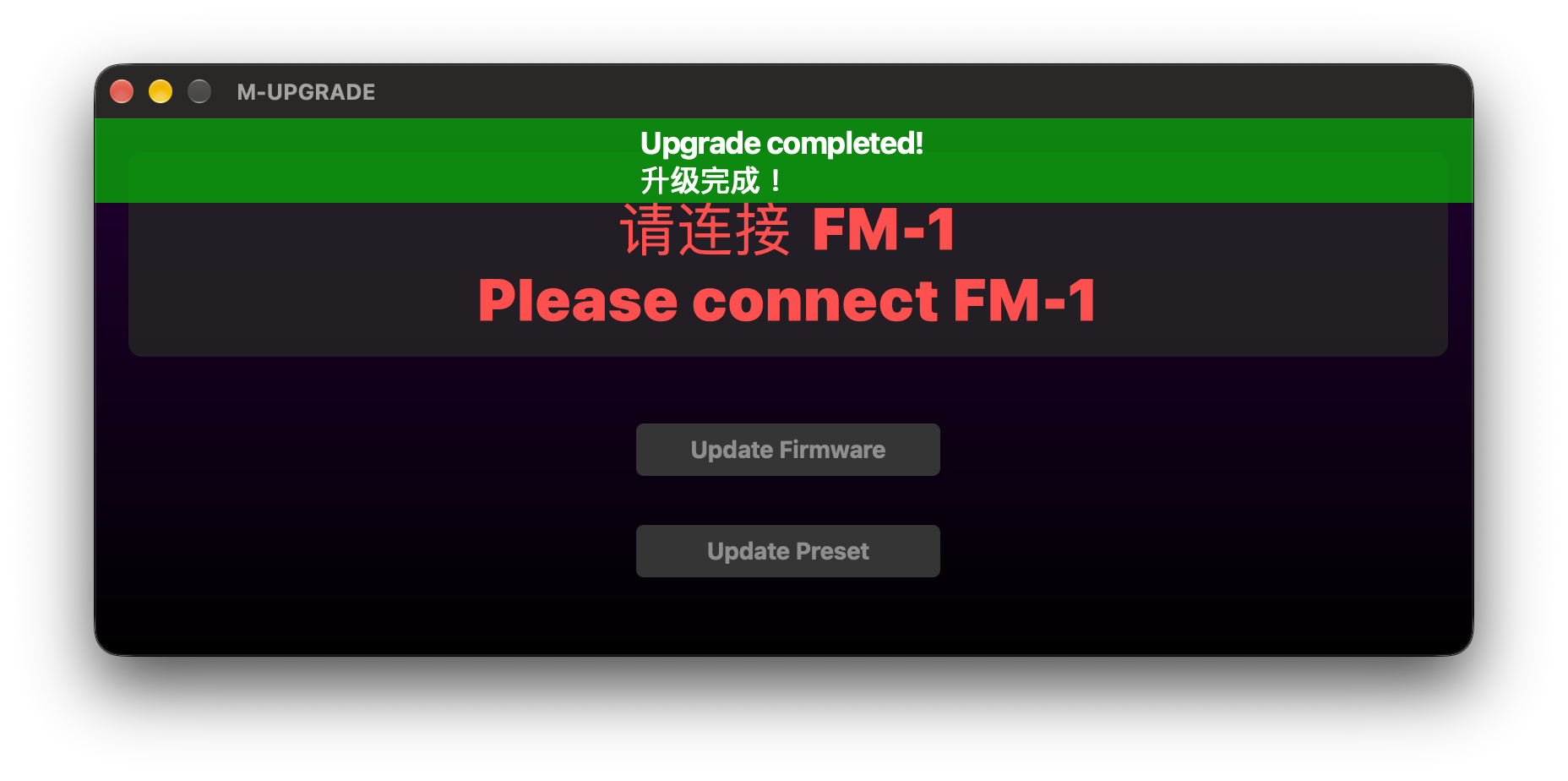
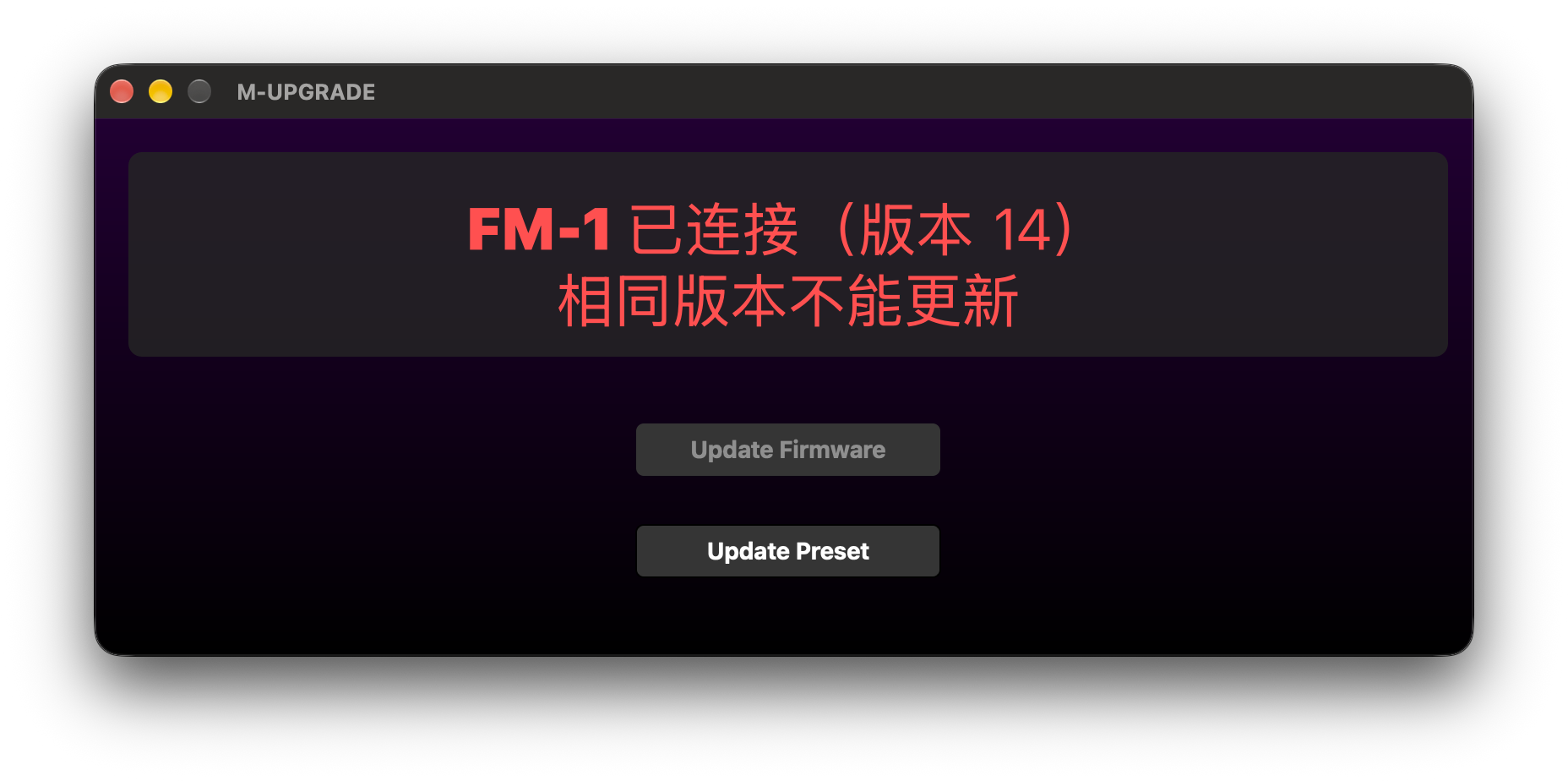
About 7 seconds later the FM-1 reconnects and shows FM-1 已连接(版本 14)相同版本不能更新 ("FM-1 connected (version 14), cannot update to the same version"), with Update Firmware still greyed out. Once you see version 14, the rollback is done.
Side note: M-UPGRADE updates other models too
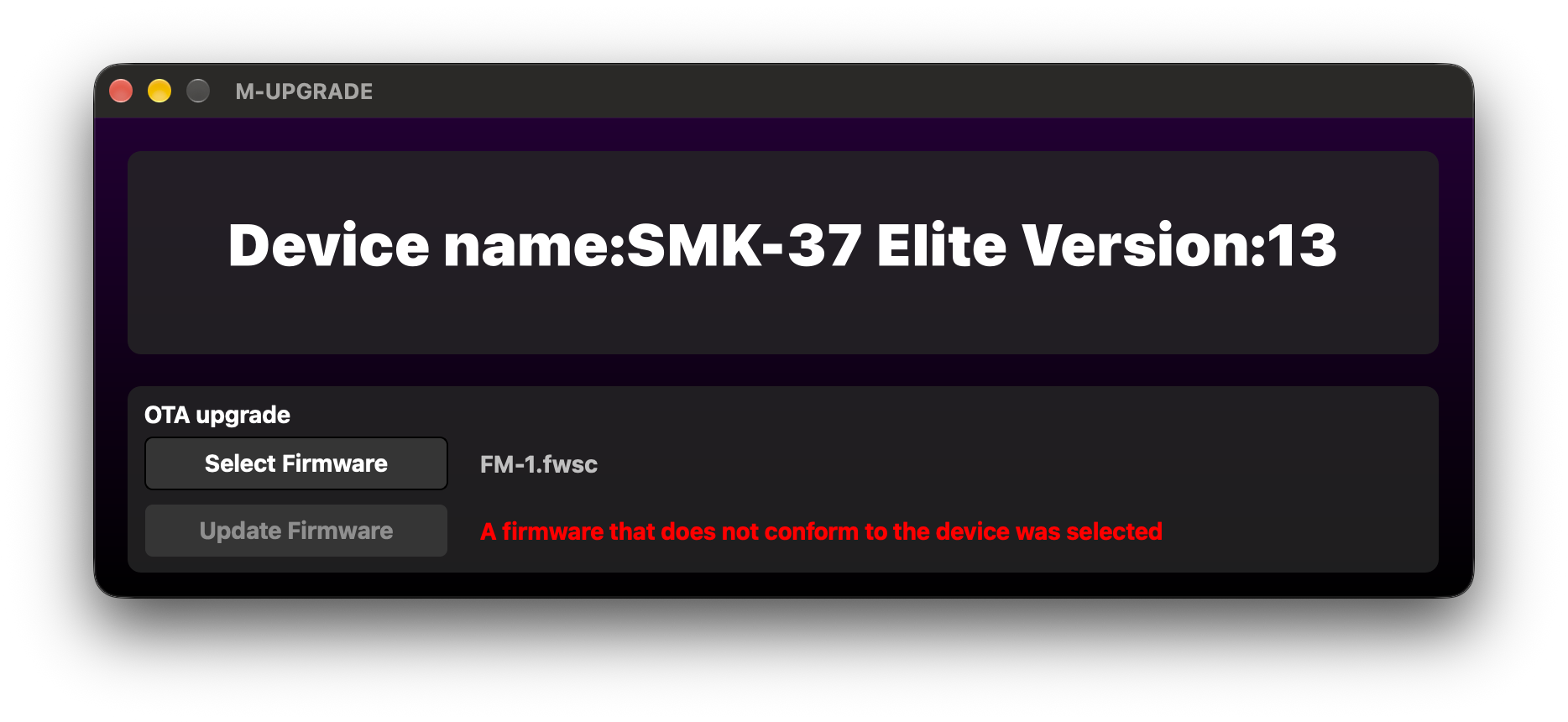
M-UPGRADE isn't just for the FM-1. When I connected my other M-VAVE device, an SMK-37 Elite, it read Device name:SMK-37 Elite Version:13 just the same, so it looks like an updater shared across M-VAVE's models.
With FM-1.fwsc selected, it showed A firmware that does not conform to the device was selected in red, and Update Firmware was greyed out and couldn't be clicked. At least in this case, it blocked the FM-1 firmware from being flashed to the SMK-37 Elite.
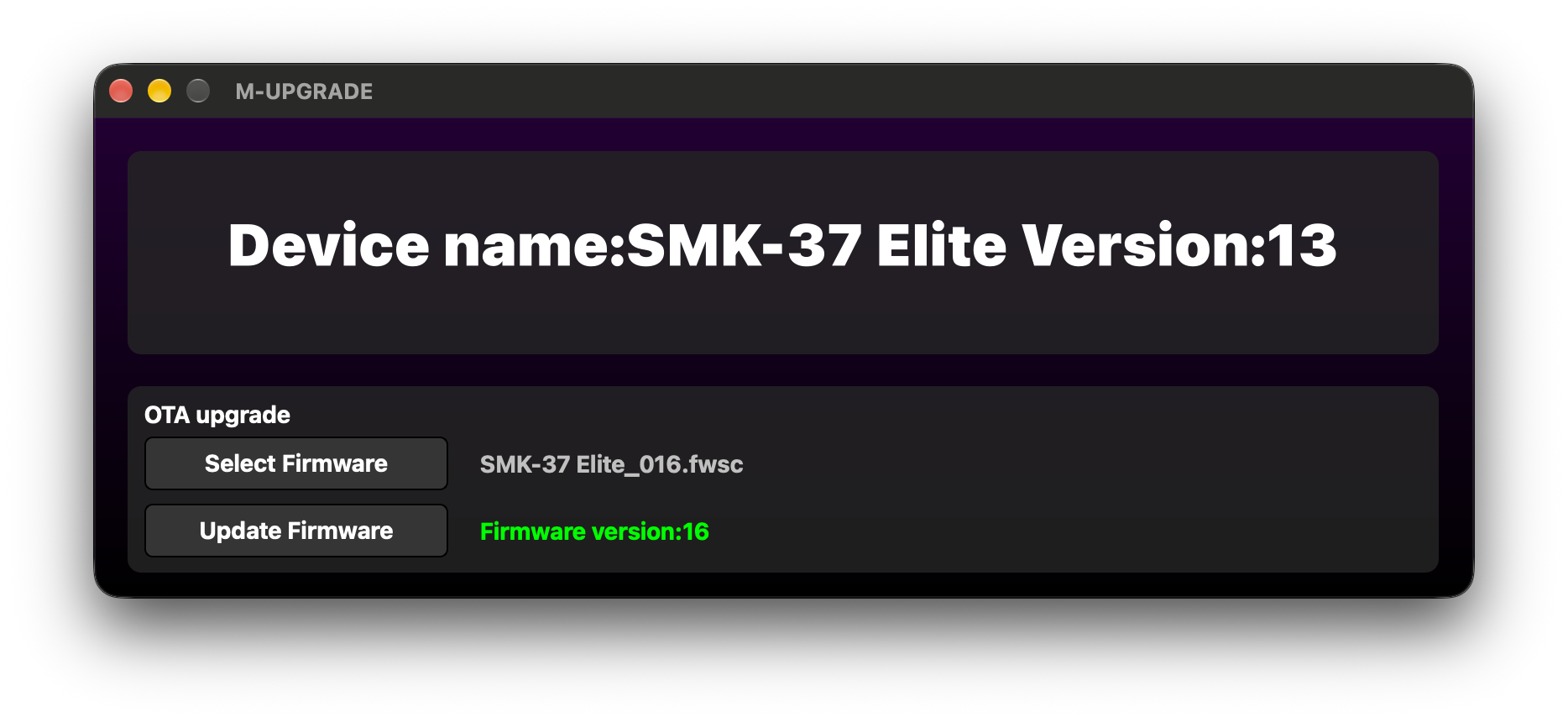
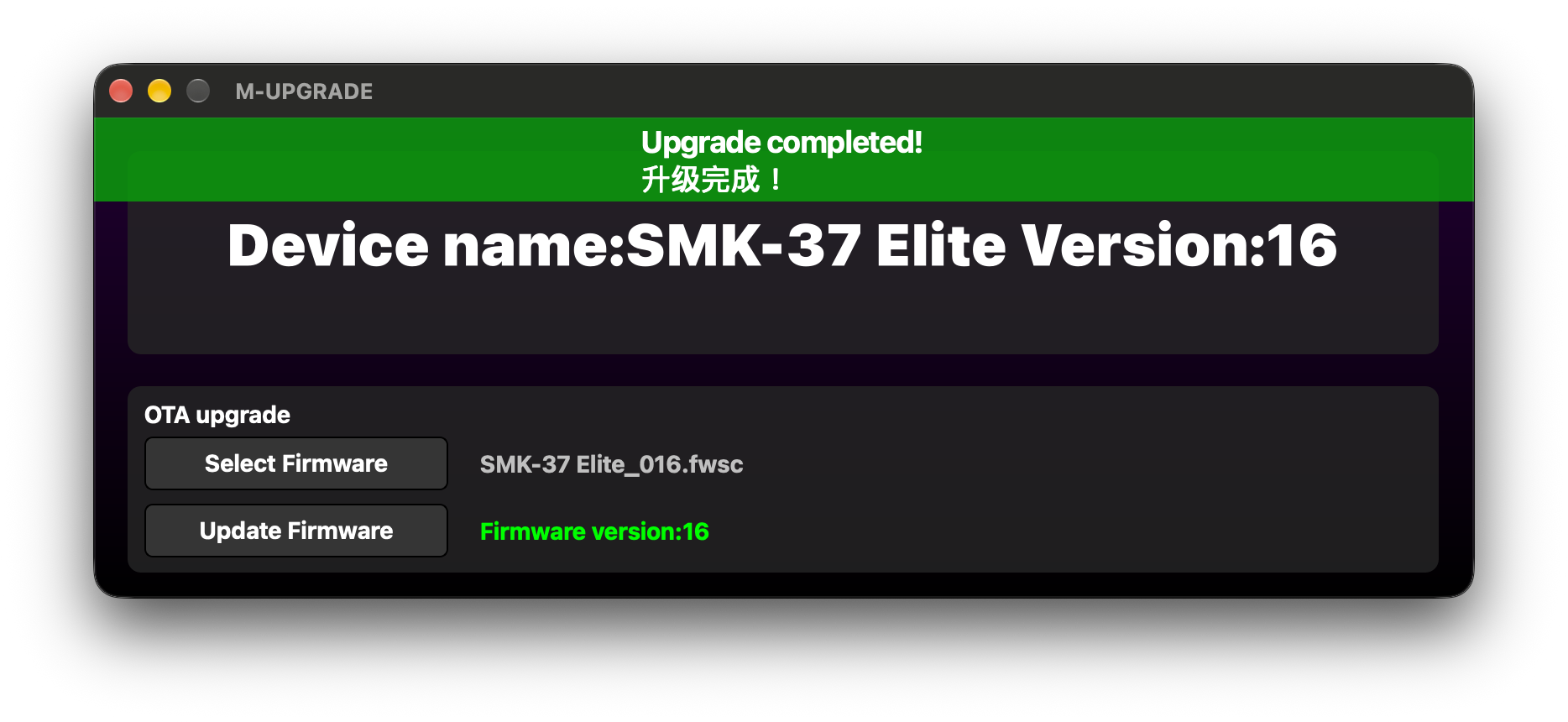
After switching to the SMK-37 Elite's own firmware, SMK-37 Elite_016.fwsc, a green Firmware version:16 appeared on the right. Clicking Update Firmware ended with the same green Upgrade completed! 升级完成!, and the device line went from Version:13 to Version:16. Compared with the FM-1 screenshots above, the screens, buttons and completion message were all the same, so if you have another M-VAVE device, you should be able to flash it the same way with M-UPGRADE and that model's .fwsc file.
Takeaways
V14 and V15 use two different flashing tools: the new M-UPGRADE lets you pick a firmware file, while the old M-UPGRADE-FM1 has its firmware baked in and simply flashes V14. M-VAVE doesn't publish the V14 firmware on its own, so the old tool is the only way back, which is why I'm keeping both.
As for whether it's worth updating: honestly, I haven't really played with this unit much since I bought it, so I can't say how good the V15 features are. But my habit has always been to update first, and unless people online report bugs or say the new version made things worse, I recommend updating. Besides, rolling back to V14 takes under 20 seconds.